Creating Your Business Magnets Is Easy
1. Enter your quantity.
Minimum order:
25 magnets
Use the quantity selector to choose the exact number your business needs.
Your price per piece updates automatically:
25–49 → $4.00 each
50–99 → $3.67 each
100–249 → $3.33 each
250–999 → $2.84 each
No discount code is required.
For quantities of 1,000+, contact us for a custom quote.
2. Choose the purpose of your magnet.
Decide what you want your customer to see or do.
Examples:
- Remember your business
- Contact you
- Leave a review
- Book an appointment
- Request a quote
- View your menu
- Order again
- Refer a friend
- Visit your website
- View a property listing
3. Upload your artwork.
Provide your:
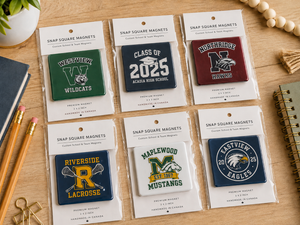
- Logo
- Complete magnet design
- Canva artwork
- Existing business card
- Print-ready PDF
- High-resolution PNG or JPG
- Promotional artwork
4. Add your business information.
Include anything you'd like displayed:
- Business name
- Phone number
- Email
- Website
- Social media
- Address
- Service information
- Promotional wording
- Call to action
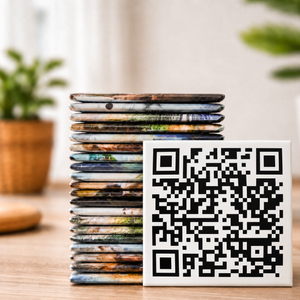
5. Add your QR code.
If using a QR code, upload the final code or provide the destination information required for your design.
Before submitting:
- Test the QR code
- Confirm the destination is correct
- Make sure the destination is active
6. Review your digital proof.
Before production, carefully verify:
- Business name
- Logo
- Phone number
- Email
- Website
- Address
- Social media
- Promotional wording
- QR code
- QR destination
- Spelling
- Text size
- Artwork placement
7. Approve & produce.
Production begins after your proof has been approved.
Artwork Tips
For the strongest 2" × 2" business magnet:
- Keep the layout simple
- Use one clear primary message
- Use high-resolution artwork
- Keep logos and text away from the edges
- Avoid excessive small text
- Use strong contrast
- Make the main call to action easy to understand
- Use transparent-background logo files when available
Because the finished magnet is only 2" × 2", one logo + short information + one clear action generally works better than trying to fit an entire business card onto the magnet.
QR-Code Tips
For reliable scanning:
- Use a high-contrast QR code
- Leave clear space around the code
- Keep it away from the outer edge
- Avoid busy artwork behind it
- Test it on more than one phone
- Scan it again when reviewing your digital proof