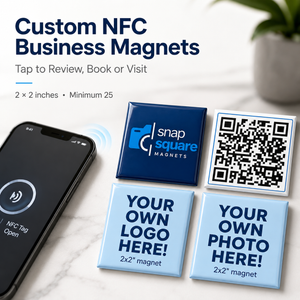
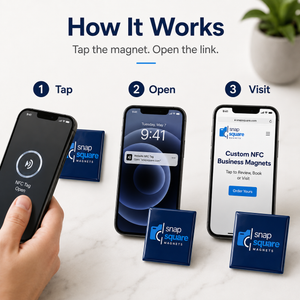
Creating Your NFC Business Magnets Is Easy
1. Enter your quantity.
Minimum order:
25 magnets
Use the quantity selector to choose the exact number your business needs.
Your price per piece updates automatically:
25–49 → $9.00 each
50–99 → $8.25 each
100–249 → $7.50 each
250–499 → $6.38 each
No discount code is required.
For 500+ magnets, contact us for a custom quote.
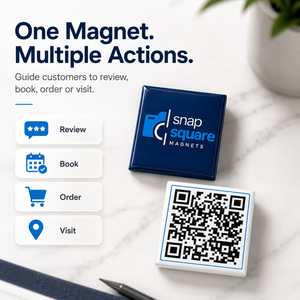
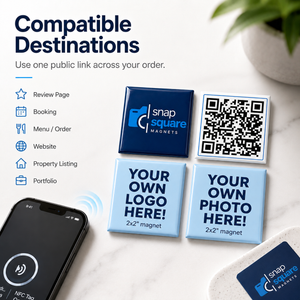
2. Choose the purpose of your magnet.
Decide what you want customers to do when they tap.
Examples:
- Leave a review
- Book an appointment
- Order online
- View your menu
- Visit your website
- Request a quote
- Open a property listing
- View your portfolio
- Reorder a product
- Join your referral program
3. Upload your branding.
Provide your:
- Logo
- Complete design
- Canva artwork
- Print-ready PDF
- High-resolution PNG or JPG
- Existing business card
- Promotional artwork
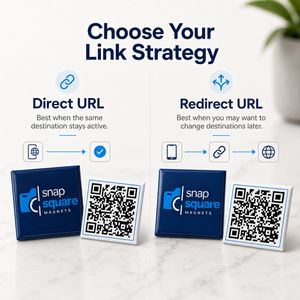
4. Provide your destination link.
Enter the complete public HTTPS URL you want the NFC magnet to open.
Please test the link before submitting your order.
5. Choose your call to action.
Examples:
Tap to Review
Tap to Book
Tap to Order
Tap for Menu
Tap to Visit
Tap to Reorder
Tap to View Listing
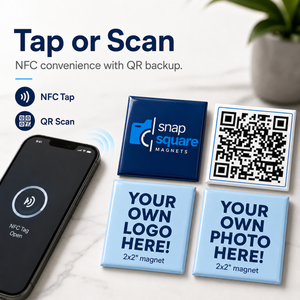
6. Add optional QR-code backup.
Choose a printed QR code if you'd like customers to have both:
Tap + Scan
For most campaigns, use the same destination for both NFC and QR.
7. Enter your required date.
Let us know if your magnets are needed for a:
- Conference
- Trade show
- Campaign launch
- Grand opening
- Client event
- Promotional mailing
- Other time-sensitive use
8. Review your digital proof.
Before production, carefully verify:
- Logo
- Business name
- Call to action
- Contact information
- Destination URL
- QR code
- QR destination
- Spelling
- Artwork placement
- Overall layout
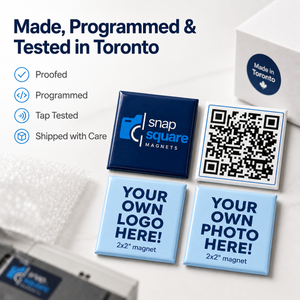
9. Approve & produce.
After approval:
- Your NFC tags are programmed
- Programming is verified
- The completed batch is tap-tested against the approved destination
- Your order is prepared for shipping
Artwork Tips
For the strongest 2" × 2" NFC magnet:
- Keep the design simple
- Use one primary call to action
- Keep text away from the edges
- Use strong contrast
- Avoid excessive small text
- Keep QR codes clear and unobstructed
- Use high-resolution artwork
- Use transparent-background logo files when available
Because the print area is only 2" × 2", a strong logo + short call to action generally works better than trying to reproduce an entire business card.