
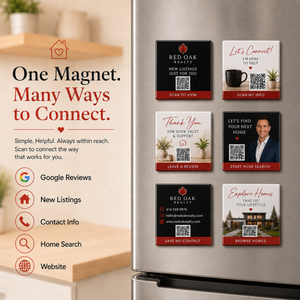
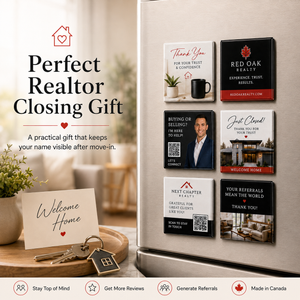
Creating Your Realtor Magnets Is Easy
1. Enter Your Quantity
Minimum order:
25 magnets
Choose the exact number of magnets you need.
Volume pricing is applied automatically as your quantity increases.
No discount code is required.
For 1,000+ pieces, contact us for a custom quote.
2. Choose Your Primary Goal
Decide what you want clients to do when they scan.
Examples:
Leave a Review
Save My Contact
Browse New Listings
Start a Home Search
Refer a Friend
Visit My Website
Contact Me
3. Upload Your Realtor Branding
Provide your:
- Agent headshot
- Logo
- Brokerage logo
- Existing business-card artwork
- Completed Canva design
- High-resolution PNG or JPG
- Print-ready PDF
4. Add Your Agent Information
Provide anything you'd like printed:
- Agent name
- Phone number
- Email
- Website
- Brokerage
- Social media
- Thank-you message
- Tagline
- Call to action
5. Provide Your QR Destination
Upload your QR code or provide the destination URL.
Popular Realtor destinations include:
- Google review page
- Website
- Digital business card
- MLS/property-search page
- Current listings
- Referral page
- Contact page
- Home valuation page
Before submitting:
Test the QR code
Confirm the destination is correct
Make sure the destination is active
6. Review Your Digital Proof
Before production, carefully verify:
- Agent name
- Headshot
- Logo
- Brokerage information
- Phone number
- Email
- Website
- QR code
- QR destination
- Call to action
- Spelling
- Text size
- Artwork placement
7. Approve & Produce
Production begins after your proof has been approved.
ARTWORK TIPS
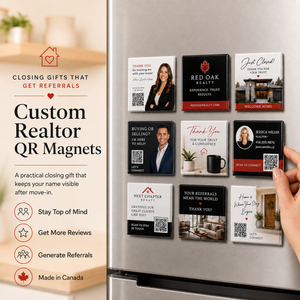
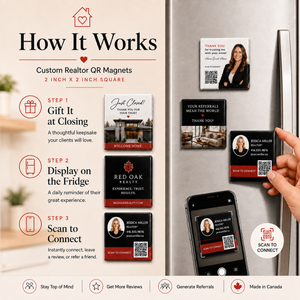
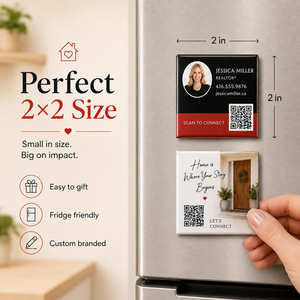
The finished magnet is only 2" × 2", so simple layouts perform best visually.
Recommended Hierarchy
1. Your brand/headshot
2. One short message
3. One clear QR call to action
Avoid trying to reproduce an entire traditional business card on the magnet.
Keep Text Short
Good:
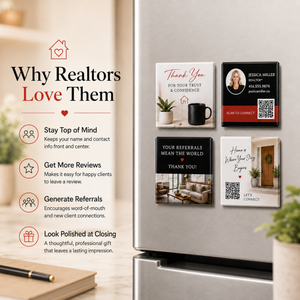
Thank You
Scan to Connect
Good:
Just Closed!
Welcome Home
Good:
Buying or Selling?
I'm Here to Help
Avoid lengthy paragraphs or multiple competing calls to action.
Headshot Tips
Use:
- Professional high-resolution portrait
- Clean background
- Good lighting
- Head-and-shoulders crop
- High contrast against the magnet design
QR-Code Tips
For reliable scanning:
- Use strong contrast
- Leave clear space around the QR code
- Keep it away from the edges
- Do not place busy photography behind it
- Test it on multiple phones
- Scan it again when reviewing your digital proof